
Minecraft Anvil Recipe: How to Craft, Use, and Master This Essential Tool in 2026
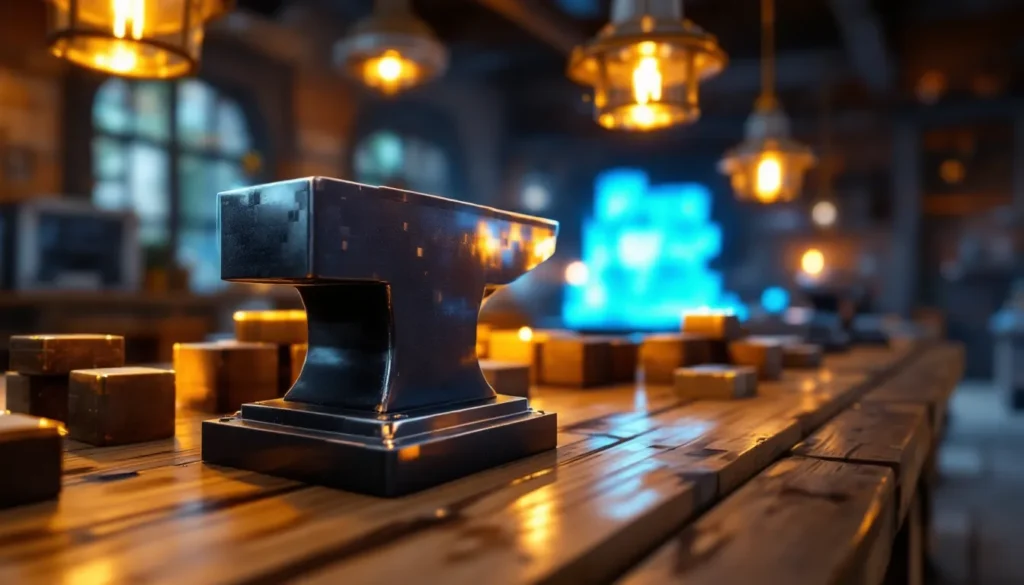
Anvils are one of those Minecraft tools that seem intimidating at first but become absolutely essential once you understand their power. Whether you’re trying to repair a diamond pickaxe that’s on its last legs, combine two enchanted swords into one ultimate weapon, or just rename your favorite horse “Buttercup,” the anvil is your go-to workstation.
But before you can start smashing items together, you need to know how to craft an anvil in Minecraft, and that’s where a lot of players hit their first snag. Unlike many early-game crafting recipes, anvils require a decent amount of iron, which means you’ll need to do some mining and smelting first. Don’t worry, though. This guide breaks down the entire process, from gathering materials to mastering advanced anvil techniques that’ll save you precious experience levels and keep your gear in top shape through every mining expedition, Nether run, and End battle.
Key Takeaways
- A minecraft anvil recipe requires 3 iron blocks and 4 iron ingots (31 iron ingots total), making it a mid-game crafting goal that demands significant mining and smelting.
- Anvils are essential for repairing tools, combining enchantments, and renaming items while preserving enchantments—functions that grindstones and crafting tables cannot replicate.
- Use the ‘binary tree’ method to combine enchanted books strategically before applying them to your final item, avoiding the ‘Too Expensive’ cap that triggers at 40+ experience levels.
- Every anvil use has a 12% chance to degrade it through four stages, with an average lifespan of about 25 uses, so batch repairs and maintain backup anvils in your workshop.
- Plan enchantment combinations carefully in advance; applying books one at a time dramatically increases experience costs due to the prior work penalty doubling with each successive use.
What Is an Anvil in Minecraft?
An anvil is a utility block that allows players to repair tools, weapons, and armor, combine enchantments from different items, and rename just about anything in their inventory. Think of it as the blacksmith’s workshop in block form.
Unlike a grindstone, which removes enchantments, or a crafting table, which creates new items, the anvil specializes in maintenance and modification. It preserves enchantments while repairing durability, and it can stack multiple enchantments onto a single item if you’ve got the experience levels to spend.
Anvils have been in Minecraft since version 1.4.2 (the Pretty Scary Update back in 2012), but they’ve remained largely unchanged in function through 2026. They’re available across all platforms: Java Edition, Bedrock Edition (PC, Xbox, PlayStation, Switch, Mobile), and even in some modified versions of the game. The mechanics work identically everywhere, so once you learn how to use one, you’re set no matter where you play.
You’ll typically place anvils in your main base workshop, right alongside your enchanting table and smithing table. They’re heavy, literally, and will fall if there’s no block beneath them, which can actually damage mobs or players standing below. That falling mechanic also means anvils themselves take damage over time and eventually break, but we’ll cover that later.
Materials You Need to Craft an Anvil
Here’s the shopping list for crafting an anvil:
- 3 Iron Blocks
- 4 Iron Ingots
That might look simple, but let’s do the math. Each iron block requires 9 iron ingots to craft, so 3 blocks = 27 ingots. Add the 4 loose ingots, and you’re looking at 31 iron ingots total. That’s a significant iron investment, especially in early game.
You won’t be crafting an anvil right after your first night. You’ll need to establish a mining operation, set up furnaces, and stockpile ore. Let’s break down how to get each component.
How to Obtain Iron Blocks
Iron blocks are crafted at a standard crafting table using 9 iron ingots arranged in a 3×3 grid. Simple as that.
You can also find iron blocks naturally in the world, though it’s rare. They appear in:
- Woodland mansions
- Ruined portals (sometimes)
- Ancient cities (as part of the structure)
But realistically, you’re going to craft them. There’s no faster way to get three iron blocks than smelting ore and crafting.
How to Obtain Iron Ingots
Iron ingots come from smelting iron ore or raw iron in a furnace or blast furnace. You’ll find iron ore anywhere from Y-level 72 down to Y-level -64, with the highest concentration around Y-level 16 in Minecraft’s current world generation (as of the Caves & Cliffs updates).
Here’s the process:
- Mine iron ore using a stone pickaxe or better. Wood and gold pickaxes won’t work.
- Smelt the ore or raw iron in a furnace using any fuel source (coal, charcoal, lava bucket, etc.).
- Collect your iron ingots.
You can also get iron ingots from:
- Loot chests in villages, dungeons, mineshafts, and fortresses
- Iron golems (drop 3-5 ingots when killed)
- Zombies, husks, and zombie villagers (rare drops)
If you’re farming iron, creating an iron golem farm near a village is one of the most efficient late-game strategies, but for your first anvil, just hit the caves with a pickaxe and some torches.
Step-by-Step Guide: Crafting an Anvil
Alright, you’ve gathered 31 iron ingots. Time to craft. Here’s how do you make an anvil in Minecraft:
Step 1: Craft 3 Iron Blocks
Open your crafting table and place 9 iron ingots in the full 3×3 grid. This creates 1 iron block. Repeat this two more times until you have 3 iron blocks total.
Step 2: Open the Crafting Table Again
Now you’ll arrange your materials in a specific pattern to craft the anvil.
Step 3: Place Materials in This Pattern
- Top row: 3 iron blocks across
- Middle row: 1 iron ingot in the center slot (leave left and right empty)
- Bottom row: 3 iron ingots across
The pattern looks like this:
[Iron Block] [Iron Block] [Iron Block]

[ Empty ] [Iron Ingot] [ Empty ]

[Iron Ingot] [Iron Ingot] [Iron Ingot]
Step 4: Collect Your Anvil
Drag the anvil from the result box into your inventory. Congratulations, you now have one of the most useful tools in the game.
Anvils don’t stack, so each one takes up a full inventory slot. Plan accordingly if you’re crafting multiple tools for your workshop.
How to Use an Anvil in Minecraft
Once you’ve placed your anvil (right-click or tap to place it like any block), you can interact with it to open the anvil interface. This interface has three slots:
- Left slot: The item you want to modify (tool, weapon, armor, etc.)
- Middle slot: The material or item you’re adding (repair materials, enchanted books, another item, etc.)
- Right slot: The result (what you’ll get after spending experience levels)
Above the slots, you’ll see the experience cost in levels. Below the left slot, there’s a text field where you can rename items.
Let’s dig into the three main functions.
Repairing Items with an Anvil
Anvils can repair damaged items in two ways:
Method 1: Using Repair Materials
Place your damaged item in the left slot, then place the appropriate repair material in the middle slot:
- Iron tools/armor → Iron ingots
- Diamond tools/armor → Diamonds
- Netherite tools/armor → Netherite ingots
- Wooden tools → Planks (any wood type)
- Stone tools → Cobblestone, stone, or other stone variants
- Golden tools/armor → Gold ingots
Each unit of material restores 25% of the item’s durability. The experience cost increases with each prior work done on that item.
Method 2: Combining Two Damaged Items
Place two damaged items of the same type and material in the left and middle slots. The anvil will combine their remaining durability and add a 12% bonus. If either item has enchantments, those get preserved and combined (more on that next).
This method is perfect when you’ve got two beat-up diamond swords from a mob grinder and want to consolidate them into one functional weapon.
Combining Enchantments
This is where anvils really shine. You can merge enchantments from two items or apply an enchanted book to a tool.
Combining Two Enchanted Items:
Place both items in the left and middle slots. If they have different compatible enchantments, the result will have both. If they share the same enchantment at the same level (e.g., Sharpness III + Sharpness III), the result gets bumped to the next level (Sharpness IV).
Note: Conflicting enchantments (like Smite and Sharpness, or Silk Touch and Fortune) won’t combine. One will be discarded.
Applying Enchanted Books:
Place your item in the left slot and an enchanted book in the middle slot. The enchantment transfers to the item, consuming the book. This is how you build god-tier gear with multiple max-level enchantments.
Many players rely on guides from sites like Twinfinite to map out optimal enchantment orders, since doing it wrong can waste levels.
Renaming Items and Tools
Click the text field at the top of the anvil interface and type whatever name you want. Renaming costs 1 experience level, regardless of what else you’re doing with the item.
Renamed items display their custom name in your inventory, hotbar, and when dropped on the ground. This is hugely popular for:
- Named weapons and armor (“Dragonslayer,” “The Penetrator,” “Mom’s Spatula”)
- Organizing storage systems (renamed shulker boxes)
- Personalizing pets (named name tags applied to mobs)
Name tags themselves can’t be crafted, only found in loot or traded from villagers, but once you have one, renaming it in an anvil before applying it to a mob is mandatory if you want to keep that mob from despawning.
Understanding Anvil Mechanics and Experience Costs
Anvils don’t just cost iron to craft, they cost experience to use. Understanding how these costs work will save you frustration and wasted levels.
How Experience Levels Affect Anvil Use
Every time you repair, combine, or rename an item in an anvil, it costs a certain number of experience levels. The base cost depends on:
- The type of operation (repair, enchant, rename)
- The number of enchantments involved
- The item’s prior work penalty
Each time an item is worked on in an anvil, it gains a hidden “prior work” counter. The cost formula includes this counter, doubling the penalty with each use:
- 1st use: +1 level
- 2nd use: +2 levels
- 3rd use: +4 levels
- 4th use: +8 levels
- 5th use: +16 levels
- 6th use: +32 levels
Once the cost exceeds 39 levels, you hit the dreaded “Too Expensive” error, and the anvil refuses to process the operation, even if you have enough levels.
The “Too Expensive” Error Explained
The “Too Expensive.” message appears when the calculated cost reaches 40 levels or higher. This is a hard cap in Minecraft (both Java and Bedrock), and it’s one of the most frustrating mechanics in the game.
There’s no way around it in vanilla survival. Once an item hits this threshold, your only options are:
- Stop using that item and craft/find a replacement
- Use mods or commands to reset the prior work counter (not available in vanilla survival)
This is why planning your enchantment order matters. For complex builds, like a maxed-out netherite sword with Sharpness V, Looting III, Unbreaking III, Mending, Fire Aspect II, Sweeping Edge III, and Knockback II, you need to combine books strategically to minimize the prior work penalty.
According to build optimization guides on platforms like Game8, the most efficient method is a “binary tree” approach: combine pairs of books, then combine those results, then apply to the base item last. This minimizes the total number of anvil uses on the final item.
Anvil Durability: How Long Does an Anvil Last?
Anvils aren’t indestructible. Every time you use one, there’s a 12% chance per use that it will degrade by one stage. There are four stages:
- Anvil (full health, undamaged)
- Chipped Anvil (slightly damaged)
- Damaged Anvil (heavily damaged)
- Broken (destroyed, drops nothing)
All three intact stages function identically. The visual damage is cosmetic until the anvil breaks entirely.
Recognizing Anvil Damage Stages
You can see the damage on the anvil’s texture:
- Anvil: Clean, smooth surface
- Chipped Anvil: Small cracks visible on top
- Damaged Anvil: Large, obvious cracks: looks like it’s about to shatter
The anvil also changes its item name in your inventory when you pick it up with Silk Touch (yes, you can pick up anvils with Silk Touch on a pickaxe, useful for relocating your workshop).
On average, an anvil will last about 25 uses before breaking, but RNG can make it last longer or shorter. If you’re unlucky, it might degrade on the first few uses. If you’re lucky, you might get 40+ operations out of it.
Tips for Preserving Your Anvil
Since each use has only a 12% chance to cause damage, there’s no guaranteed way to extend an anvil’s life, but you can be smart about how you use it:
- Batch your repairs. Don’t use the anvil for one-off renames or minor repairs. Wait until you have multiple items to process.
- Use grindstones for simple repairs. If you don’t need to preserve enchantments, a grindstone repairs items for free by combining two damaged copies. Save the anvil for enchanted gear.
- Keep backups. Always have 31 iron ingots ready to craft a replacement anvil. Running out of anvils mid-project is a pain.
- Don’t use anvils for decorative falling traps. Yes, dropping anvils on mobs is fun, but it’s a waste of iron unless you’re in Creative mode.
For players running dedicated crafting workshops in Terraria as well, the durability contrast is stark, Terraria anvils don’t degrade, while Minecraft’s do.
Advanced Anvil Strategies and Tips
Once you’ve mastered the basics, there are a few advanced techniques that separate casual players from the truly efficient.
Optimizing Enchantment Combinations
The “binary tree” method is your best friend. Here’s how it works:
- Start with enchanted books, not the item.
- Combine books in pairs: Book A + Book B = Combined Book 1. Book C + Book D = Combined Book 2.
- Combine the combined books: Combined Book 1 + Combined Book 2 = Master Book.
- Apply the Master Book to your item last.
This minimizes the prior work penalty on your final item, delaying the “Too Expensive” cap as long as possible.
Example: Maxing a Diamond Sword
- Step 1: Combine Sharpness IV + Looting III = Book 1 (cost: 2 levels)
- Step 2: Combine Unbreaking III + Mending = Book 2 (cost: 2 levels)
- Step 3: Combine Fire Aspect II + Knockback II = Book 3 (cost: 2 levels)
- Step 4: Combine Book 1 + Book 2 = Book 4 (cost: 4 levels)
- Step 5: Combine Book 4 + Book 3 = Master Book (cost: 8 levels)
- Step 6: Apply Master Book to fresh diamond sword (cost: ~10-15 levels)
Total cost: ~30 levels. If you applied each book individually to the sword, you’d hit “Too Expensive” before finishing.
Players following meta strategies on IGN and other guide sites often pre-plan these trees in spreadsheets before spending a single level.
Using Anvils for Villager Trading Efficiency
Anvils aren’t just for repairing your own gear, they’re also key to optimizing villager trading halls.
When you cure a zombie villager (splash potion of Weakness + golden apple), their trade prices drop significantly. If you rename the villager using a name tag in an anvil, they won’t despawn and you can track which villagers offer which trades.
Also, renaming items before trading them (e.g., renamed paper, books, or sticks) doesn’t affect the trade, but it helps you organize bulk goods in storage systems. Some players rename stacks of items to label shulker boxes: “Villager Food,” “Trades Only,” “Backup Gear,” etc.
Another niche use: renaming spawn eggs (in Creative or with commands) before placing them ensures specific mobs for custom maps or adventure worlds.
Common Mistakes to Avoid When Using Anvils
Even experienced players slip up with anvils. Here are the biggest mistakes and how to avoid them:
1. Applying Books One at a Time
As covered earlier, applying each enchanted book individually to an item racks up the prior work penalty fast. Always combine books first.
2. Forgetting to Rename Before the Final Step
If you want to rename an item, do it during one of the anvil operations, don’t do it separately afterward. Every anvil use counts toward the prior work penalty, so bundling the rename with a repair or enchantment saves you one use.
3. Using Anvils for Quick Repairs on Disposable Gear
If you’re repairing an iron pickaxe you plan to replace with diamond soon, just use a crafting table (combining two damaged picks) or a grindstone. Anvils are for high-value enchanted gear, not throwaway tools.
4. Not Checking the Cost Before Committing
The anvil interface shows the experience cost before you confirm. If it says 15 levels and you only have 10, you can’t complete the operation. Grind some XP first, don’t waste time placing items in the anvil repeatedly.
5. Ignoring Mending
Mending is arguably the best enchantment in the game. It repairs items using XP orbs you collect, bypassing the anvil entirely for routine maintenance. If you’re planning a long-term item, get Mending on it ASAP (from villager trades or fishing). This drastically reduces your anvil dependency.
6. Placing Anvils Above Your Head
Anvils obey gravity. If you place one on sand, gravel, or another falling block, it’ll drop when that block is disturbed. More importantly, if you’re working under an anvil and it falls, it deals significant damage (up to 20 hearts from max height). Always place anvils on solid, stable blocks in your workshop.
Conclusion
The anvil is one of Minecraft’s most powerful tools, enabling you to keep your best gear in fighting shape through endless adventures. Crafting one requires a solid iron investment, 31 ingots, but the payoff is worth it once you start repairing enchanted diamond or netherite equipment, combining enchantments into god-tier weapons, or simply naming your favorite pet “Sir Fluffington the Brave.”
Mastering anvil mechanics, especially the prior work penalty and the “Too Expensive” cap, takes practice, but once you understand the system, you’ll save countless experience levels and avoid the frustration of bricked items. Combine books strategically, batch your repairs, and always keep a backup anvil ready to craft.
Whether you’re gearing up for the Ender Dragon, outfitting a full netherite armor set, or just organizing your storage with renamed shulker boxes, the anvil is an essential part of your Minecraft toolkit. Now get out there, mine some iron, and start hammering.
 How to Get Roblox in Infinite Craft: Step-by-Step Guide to Unlocking the Ultimate Gaming Icon
  How to Make a Campfire in Minecraft: Complete Recipe Guide & Pro Tips for 2026
  Minecraft Arrow: Complete Crafting Guide, Combat Tips & Advanced Techniques (2026)
  How to Craft Fireworks in Minecraft: Your Complete Guide to Explosive Celebrations in 2026
  Minecraft Fishing Rod: The Complete 2026 Guide to Crafting, Enchanting, and Mastering the Waters
  Compass Minecraft: The Ultimate Guide to Crafting, Using, and Mastering Navigation in 2026