
Minecraft Recipe Book: The Ultimate Guide to Unlocking and Mastering Crafting in 2026

If you’ve ever stared at a crafting table wondering what you can actually build with the random junk in your inventory, the Minecraft recipe book is your best friend. It’s the in-game cheat sheet that tracks every recipe you’ve unlocked, suggests craftables based on your materials, and even auto-arranges items in the grid with a single click. Whether you’re on Java, Bedrock, or playing handheld on Switch, knowing how to use it well saves time and unlocks crafting paths most casual players miss entirely.
Key Takeaways
- The Minecraft recipe book is a built-in interface that automatically catalogs every crafting, smelting, brewing, and smithing recipe you’ve discovered, eliminating the need to manually memorize hundreds of patterns.
- You can unlock new recipes faster by picking up basic materials like wood logs and wool early in gameplay, or by smelting, trading with villagers, and exploring biomes like the Nether and ancient cities.
- The one-click crafting feature auto-fills your crafting grid with a single click, while shift-clicking fills it with the maximum possible stack—a huge time-saver for batch-crafting tasks.
- Opening the Minecraft recipe book differs by platform: press E then click the book icon on PC, Square on PlayStation, X on Xbox, Y on Switch, or tap the book icon on mobile devices.
- Toggle the craftable-only filter to reduce visual clutter and focus only on recipes you can currently make with your available materials.
- Keep common blocks, ores, and mob drops in your inventory during the first hour of gameplay to unlock approximately 80% of the recipe book without extra effort.
What Is the Minecraft Recipe Book and Why It Matters
The Minecraft recipe book is a built-in interface that catalogs every crafting, smelting, brewing, and smithing recipe a player has discovered. It first appeared in Java Edition 1.12 and rolled out to Bedrock shortly after, and it’s been quietly refined ever since, including the smithing template additions tied to the Trails & Tales and later Tricky Trials updates.
Why does it matter? Because manually memorizing hundreds of patterns is a waste of brainpower. The book filters by category, highlights craftable items based on inventory, and supports one-click crafting. For new players it’s training wheels: for veterans speedrunning a base, it’s pure efficiency. Either way, it removes the friction between having the materials and making the thing.
How to Open and Navigate the Recipe Book on Every Platform
Opening the recipe book is straightforward, but the inputs differ depending on hardware. The book icon appears on the left side of any crafting interface, furnace, blast furnace, smoker, or smithing table.
- PC (Java & Bedrock): Click the green knowledge book icon next to the crafting grid, or press E to open your inventory and click the icon there.
- PlayStation 5 / PS4: Press Square while the crafting menu is open to toggle the book.
- **Xbox Series X
|
S / Xbox One:** Press X to open the recipe list.
- Nintendo Switch: Press Y in the crafting interface.
- Mobile (Bedrock): Tap the book icon to the left of the 3×3 grid.
Once open, recipes are sorted by tabs: equipment, building blocks, redstone, and miscellaneous. A small search bar at the top (Java only) lets players type item names directly. Items shown in full color are craftable right now: greyed-out entries mean materials are missing. For deeper crafting workflows like smelting, pairing the book with a properly placed furnace keeps everything within a single tabbed view.
How to Unlock New Recipes Faster
Recipes aren’t all available from the start. Mojang gates them behind discovery triggers so new players aren’t overwhelmed. There are a few reliable ways to unlock them in bulk.
Recipes Unlocked by Picking Up Items
Most basic recipes unlock the moment a related item enters the inventory. Pick up oak logs and the planks, sticks, crafting table, and chest recipes appear instantly. Grab cobblestone and the furnace, stone tools, and stonecutter become visible.
A few quick triggers worth remembering:
- Wood logs unlock planks, sticks, crafting table, and a chest crafting recipe.
- Wool unlocks the bed recipe, which is why most players grab sheep before building their first bed setup.
- Sugar cane unlocks paper, and leather + paper together unlock the book recipe, as detailed in this breakdown of the book in minecraft recipe.
- Iron ingots unlock anvils, buckets, shears, and the compass.
Recipes Unlocked by Smelting, Trading, and Exploration
Not every recipe drops into the book from a pickup. Smelting raw iron or gold in a furnace unlocks ingot-based recipes. Brewing requires a blaze rod first, then the brewing stand recipe shows up automatically once one is crafted or placed.
Trading with a Minecraft villager is another shortcut. Librarians, for instance, frequently offer enchanted books, and visiting a cartographer can hand over explorer maps that lead to ocean monuments and mansions where rare smithing templates hide. Exploration matters too. Finding a Nether fortress unlocks Nether-tier crafting paths, and looting bastions or ancient cities can reveal Netherite upgrade templates that don’t appear in the book until discovered.
Using the One-Click Crafting and Search Features
The recipe book’s biggest time-saver is one-click crafting. Hovering over any unlocked recipe and clicking once auto-fills the crafting grid with one set of ingredients. Shift-clicking fills the grid with the maximum possible stack based on available materials. This is gold when batch-crafting fences for animal pens or stacks of arrows before a raid.
The search bar (Java Edition) accepts partial matches. Typing “book” surfaces bookshelves, enchanted books, and the basic book in minecraft recipe. Typing “potion” pulls up the brewing stand recipe and every brew currently unlocked. There’s also a craftable-only toggle, the little checkmark icon, that hides recipes you can’t make right now. Flip it on when inventory is messy and only the doable options should show.
One thing worth noting: the recipe book doesn’t autocomplete recipes that require specific NBT data or smithing templates. Players still have to manually slot in a Netherite upgrade template, for example, even after it’s been unlocked.
Pro Tips to Get the Most Out of Your Recipe Book
A few habits separate efficient crafters from inventory hoarders:
- Run through every basic material early. Grab one of every common block, ore, and mob drop in the first hour. This unlocks 80% of the recipe book without effort. Sites like Twinfinite’s Minecraft section regularly publish unlock checklists worth bookmarking for new world starts.
- Keep a bundle on the hotbar. Loose items still trigger unlocks when picked up, and a well-used bundle means fewer dropped resources during exploration runs.
- Fish for rare unlocks. Junk and treasure loot from an enchanted fishing rod can introduce items players otherwise wouldn’t see for hours, like nautilus shells and saddles.
- Use it as a navigation aid. Cross-referencing the recipe book with a crafted compass helps plan resource runs, knowing what’s missing tells the player what biome to head toward.
- Toggle craftable-only before long sessions. It cuts visual clutter dramatically.
For patch-specific quirks, balance changes, and confirmed feature drops, the GamesRadar Minecraft hub keeps pace with Mojang’s snapshot notes. The recipe book itself rarely changes, but what it tracks evolves with every major update, the 1.21 Tricky Trials drop, for example, added trial chamber-related recipes that won’t appear until a vault key is discovered.
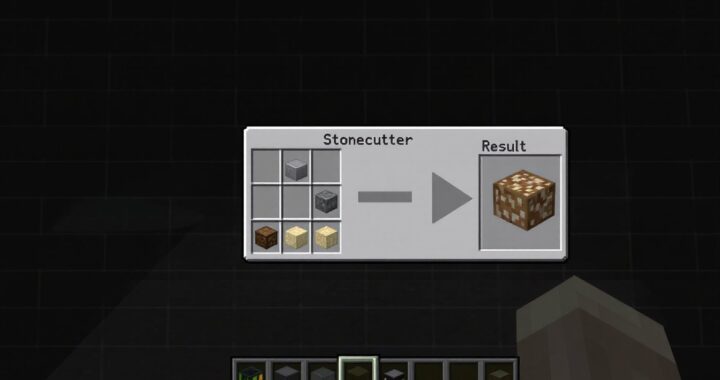 Stonecutter Recipe: Complete Crafting Guide for Minecraft 2026
  How to Make Cake in Minecraft: A Complete Crafting Guide for 2026
 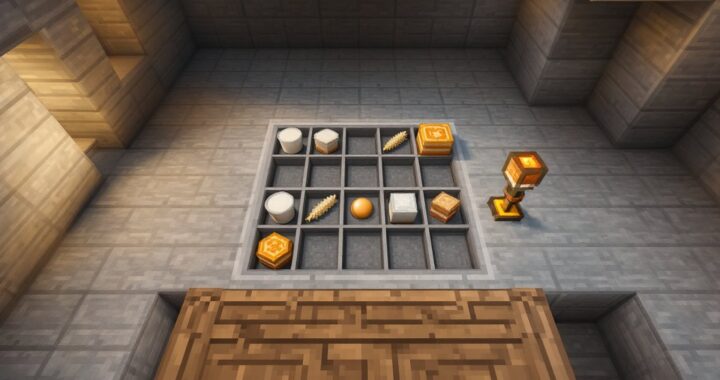 How to Craft a Cake in Minecraft: The Complete Recipe Guide for 2026
  How to Craft an Armor Stand in Minecraft: A Complete Recipe & Usage Guide
  How To Make a Cake In Minecraft: Complete Crafting Guide for 2026
  Brewing Stand Recipe in Minecraft: How to Craft and Use It for Powerful Potions